You can switch web agencies safely, keeping site, data and rankings intact — but order matters most. Secure access and your own copies first, record performance today, and only then give notice. Reverse that order and a routine switch becomes a negotiation.
The short answer: secure first, baseline second, notice third — the safe order in one table
| Order | Step | Done when |
|---|---|---|
| 1 | Access and ownership audit | Owner-level access held, or gaps known |
| 2 | Your own copies | Backup, files and exports held outside agency accounts |
| 3 | SEO baseline | Rankings, traffic and indexed pages recorded |
| 4 | Contract check | Notice, exit terms and ownership wording read |
| 5 | Notice and overlap | Written handover request with deadline running |
| 6 | Cutover without a rebuild | Same site, URLs and content move — nothing redesigned |
| 7 | Verify, monitor, then remove access | Sixty days of checks pass before access is deleted |
The problem: the fear is rational — the agency holds the keys to assets in its name
Many owners discover the arrangement only when they try to leave: the domain registered in the agency's name for convenience, hosting in its account, analytics under its login — and the only administrator long gone. None of this implies bad intent — small projects are often set up quickly — but the business does not control the assets it paid to create.
The fear is rational — and solvable. You need no permission to audit what you can reach, copy what is yours, or measure your site. Do that first, while the relationship is normal.
Step 1 — The access and ownership audit: registrar, DNS, hosting, CMS, GA4, Search Console, email, licences (checklist)
Mark each item: held by your business, held by the agency, or unknown. The unknowns are your risk list.
- Domain registrar: who is the registrant of record, and which login controls renewal and DNS? For a .ae name, check via an accredited registrar; .ae is administered by the .ae Domain Administration (.aeDA), part of TDRA.
- DNS: where hosted, who can edit? DNS decides where site and email point.
- Hosting: whose account, and who gets renewal and failure notices?
- CMS: a full administrator login in your own name, not a shared one?
- GA4: is a company account an Administrator? Only an Administrator can add and remove users — an Editor seat is not control.
- Search Console: verified owner, or only a delegated owner whose access depends on someone else's verification?
- Email: if mail runs through the same hosting or domain, who controls it?
- Licences and files: theme, plugin, stock and font licences, plus editable design and source files — whose name and storage?

End by adding your own access wherever you can: verify a company account as Search Console owner with your own method, and have one made GA4 Administrator. Google allows several owners per property, so this is normal housekeeping, not confrontation.
Step 2 — Take your own copies: full backup, content and design files, data exports
Access can be revoked; copies cannot. Take a complete backup — files and database together — outside every agency account. Export content, customer and enquiry data in portable format, and collect design source files and site images.
Also export history: Search Console and analytics reports for the longest period you rely on. If the switch turns difficult, a business holding a tested backup, its data and history is inconvenienced, not stranded. The website handover ownership checklist is the artefact to request and check a completed handover against.

Step 3 — Record the SEO baseline before anything changes (rankings, traffic, indexed pages, redirects)
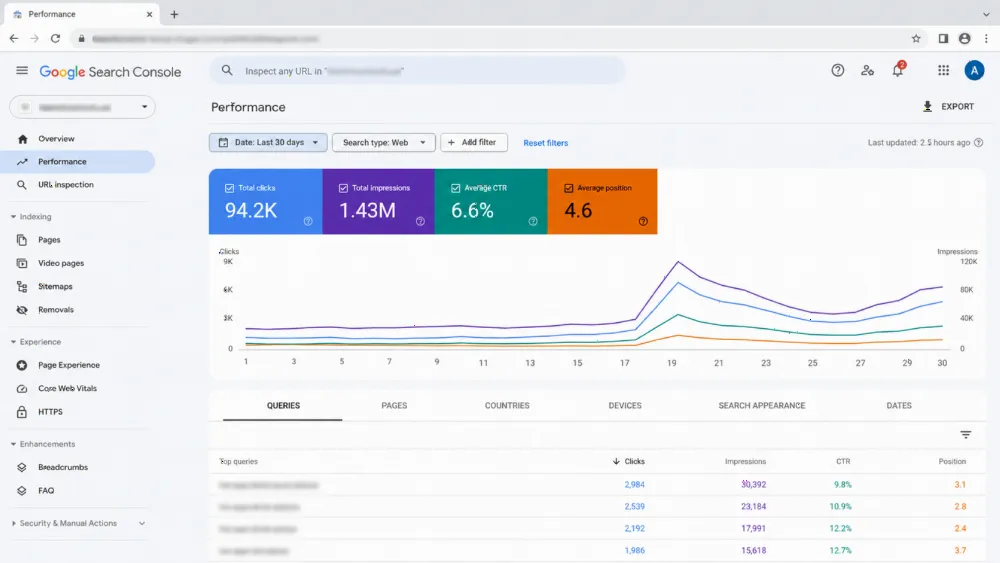
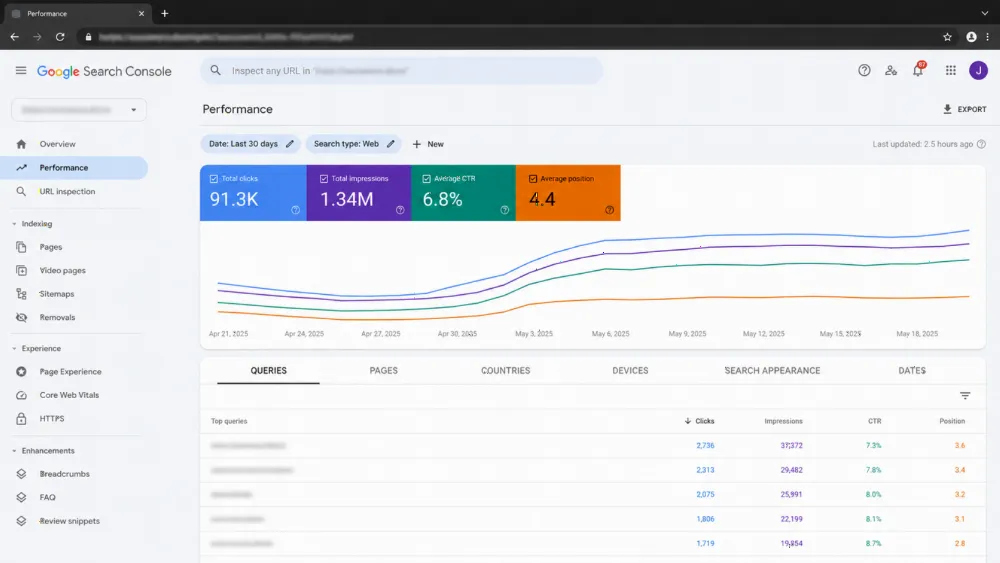
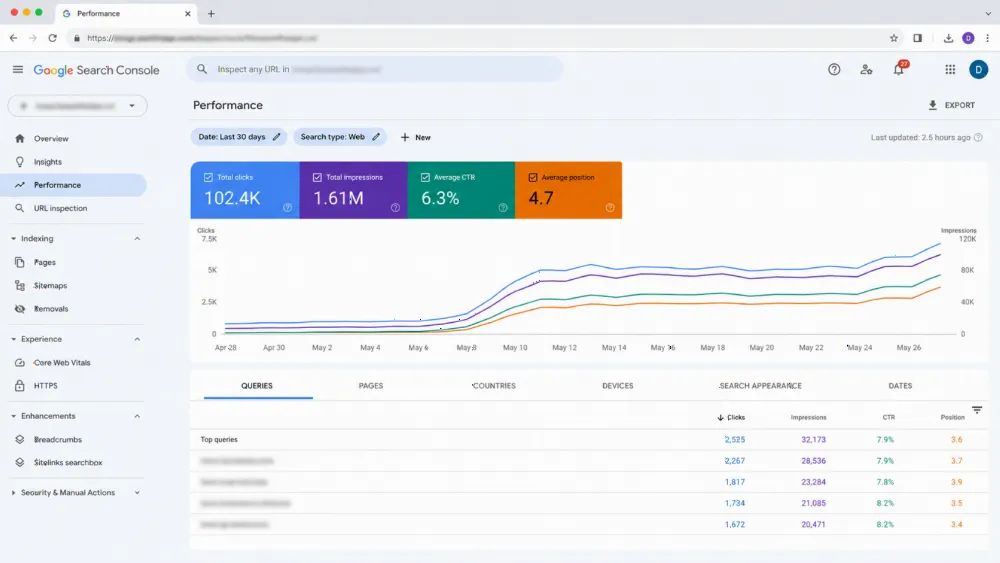
A baseline turns “the switch hurt our rankings” into a measurement. Record queries and pages bringing traffic, top landing pages, indexed count and traffic pattern. Save redirect list, robots file and sitemap setup as they stand.
Google's traffic-drop guidance lists seasonality and algorithm updates as normal causes, so compare like with like — against the baseline and, where possible, the previous year. A switch keeping the same domain, URLs and content is not a site move: Change of Address is for domain moves. Where a URL must change later, Google recommends a permanent server-side redirect, kept at least a year.
Step 4 — Read your contract: notice period, exit terms and what the agreement says you own
Now read your agreement: notice period and method, any exit fee or minimum term, and — most importantly — what it says about ownership of site, content, files and data, and end-of-contract handover. Treat these as questions about your document, not general legal rules.
Note the silences, too. Silence on source files or data exports is common, and those items are easier to request during a friendly notice period than to demand afterwards.
Step 5 — Give notice and run the overlap: the written handover request and its deadline
Give notice in the form the contract requires, paired with a written handover request — access transfers, files, exports and documentation, with a deadline inside the notice period. Written creates the record if anything is later disputed.
Use the overlap deliberately: the outgoing agency keeps the site running while the incoming one audits and prepares. Freeze non-essential changes — no redesign, no URL restructuring, no platform move — each muddies your baseline.
Step 6 — Cut over without a rebuild: why the switch and a redesign never happen in the same month
Cutover should be boring: the same site, domain and URLs, under new management. Move hosting only if you must, in a quiet period, and test site, forms and email immediately afterwards.
Never combine the switch with a redesign: it changes templates, content and often URLs just as the team changes, so any dip becomes unattributable and the incoming agency inherits a problem it did not create. A rebuild is a separate project afterwards, run with our website redesign SEO migration checklist; our overview of web development in the UAE covers it.
Step 7 — Verify, monitor for 60 days, then remove the old agency's access (in that order)
After cutover, verify everything a visitor or search engine touches: pages, forms, email, redirects — and that no staging block, such as a noindex or robots exclusion, travelled with the site. Then monitor against your baseline for sixty days.
Only then remove the old agency's access — completely. In Search Console, deleting a user is not enough if they were a verified owner: while their token remains, Google warns, they can re-verify. Remove their users and tokens — HTML file, meta tag or DNS record — keeping your verification in place.

If the agency won't cooperate: registrar, platform and payment recovery paths, in escalating order
Escalate in writing first: a dated request naming exactly what is missing, through a channel keeping a record. Many “refusals” are really a departed employee and lost password, and a precise request solves them.
Next, go to the platforms directly — most recovery runs through them, not the agency. For a domain, the registrar's process governs: under ICANN's rules for generic domains, only the registered name holder or administrative contact can approve a transfer, and in a dispute that holder's authority prevails — which is why the registrant entry matters. For .ae names, the route runs through an accredited registrar, with .aeDA — the TDRA department that accredits registrars and facilitates the .ae dispute policy — administering the namespace. For Google accounts, verify ownership yourself: whoever controls the site or DNS can complete verification and manage users. Hosting and CMS providers run their own recovery checks.
Keep expectations honest: these routes establish control of domains, sites and accounts, but what you are owed is a question for your agreement and, if needed, professional legal advice in the UAE. What protects you is steps one to three: with your own backup, data and baseline, you can rebuild even in the worst case.
Choosing the next agency so you never repeat this: ownership clauses to require in writing
The permanent fix is contractual. Require in writing that the domain is registered in your business's name, hosting and analytics accounts are created under your ownership with the agency as a user, and access, files and data are handed over at the end. Hold any provider to WebStackRank's standard: full ownership transfer — intellectual property, code and domain — on final payment. Our guides on how to choose a web design agency in Dubai and agency versus freelancer in the UAE cover the wider decision.
Common mistakes
The classic mistake is giving notice first and asking for access second. Close behind: accepting screenshots instead of a tested backup, letting the new agency redesign during handover, and removing old access on day one — before verifying your access, tokens and backups work. Finally, having no baseline leaves every later ranking movement unexplained.
FAQ
Will switching web agencies hurt my SEO rankings?
Not by itself. Risk comes when URLs change without permanent redirects, a leftover noindex or robots block stays live, or your own Search Console verification is lost. Keep the same domain, URLs and content, record a baseline, and compare against it for sixty days — allowing for seasonality.
What should I get from my old agency before I give notice?
Before notice, secure what you can yourself: owner-level Search Console access under your own verification, a GA4 Administrator seat, a full backup, data exports and performance history. Formal handover items — files, licences, documentation — are then requested in writing with the notice, with a deadline.
My domain is registered in my agency's name. What can I do?
Start with a written request to transfer the registration to your business. If that stalls, contact the registrar: for generic domains, ICANN's rules give the registered name holder authority over transfers. For .ae, work through an accredited registrar — .aeDA, part of TDRA, administers .ae and facilitates its dispute resolution policy.
When should I remove the old agency's access?
After cutover, verification and monitoring — not on day one. Remove their users everywhere, and in Search Console also delete their verification tokens, because Google warns a removed owner can re-verify while a token remains. Keep your own verification untouched.
Should I redesign the website at the same time as switching agencies?
No. Change one thing at a time: a redesign alters templates, content and often URLs, so any dip afterwards cannot be attributed. Complete the switch on the unchanged site, monitor it, and run any redesign afterwards as its own project.
Switch to a partner that hands you the keys from day one
If planning a switch, choose the destination before giving notice, and judge it on ownership as much as design. WebStackRank transfers full ownership — intellectual property, code and domain — on final payment, so assets start and stay in your name. See how we work as a website development company in Dubai, bring your step-one audit list, and we will tell you plainly what your setup allows.